







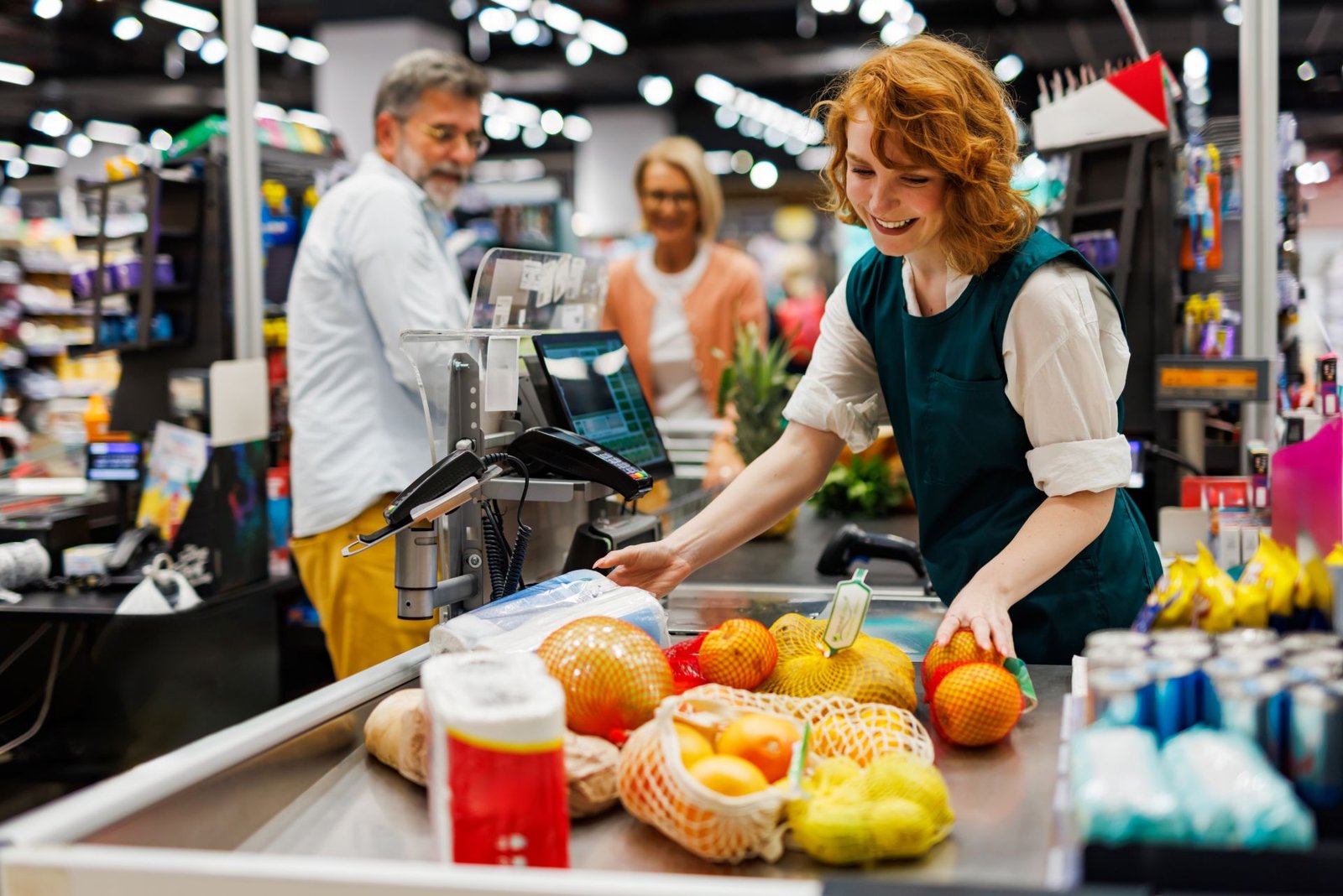
A customer places three tomatoes on the checkout scale. The cashier does nothing except confirm the screen. The correct price — calculated from the live weight and the store’s current price per pound — appears on the register. The transaction is added to the customer’s total. The inventory system subtracts the exact weight sold from the produce department’s stock.
That sequence takes under five seconds. Without POS scale integration, it takes considerably longer, involves manual data entry, and introduces pricing error risk at every step. This article explains exactly how a grocery POS system handles produce and other items sold by weight — from the moment the item touches the scale to the moment the correct price appears on the customer’s receipt.
Table of Contents
Why Produce Pricing Is Different From Everything Else in the Store
Most grocery items have a fixed price tied to a barcode. The cashier scans the barcode, the POS retrieves the price from its database, and the transaction proceeds. The item’s individual physical characteristics do not affect the price — every can of the same soup costs the same.
Produce does not work this way. A bunch of bananas does not have a universal price. It has a price per pound, and the total price is determined by how much that specific bunch weighs on that specific day. As the weight scale is integrated with the POS, once the item is weighed, the system automatically retrieves the price associated with the weight, calculating the total in real time rather than applying a fixed database price. ECORN Agency
This distinction requires an entirely different hardware and software workflow — one where the scale is not a peripheral accessory but a primary data source that feeds the transaction directly. Grocery POS systems handle weighted items through direct integration with electronic scales. Without that integration, produce transactions require manual weight entry — the primary source of pricing errors and customer disputes at grocery checkouts. Small Business Trends
The Three Locations Where Produce Gets Weighed
Produce moves through a grocery store through three distinct weighing points — and the POS handles each one differently.
1. The Produce Department Scale
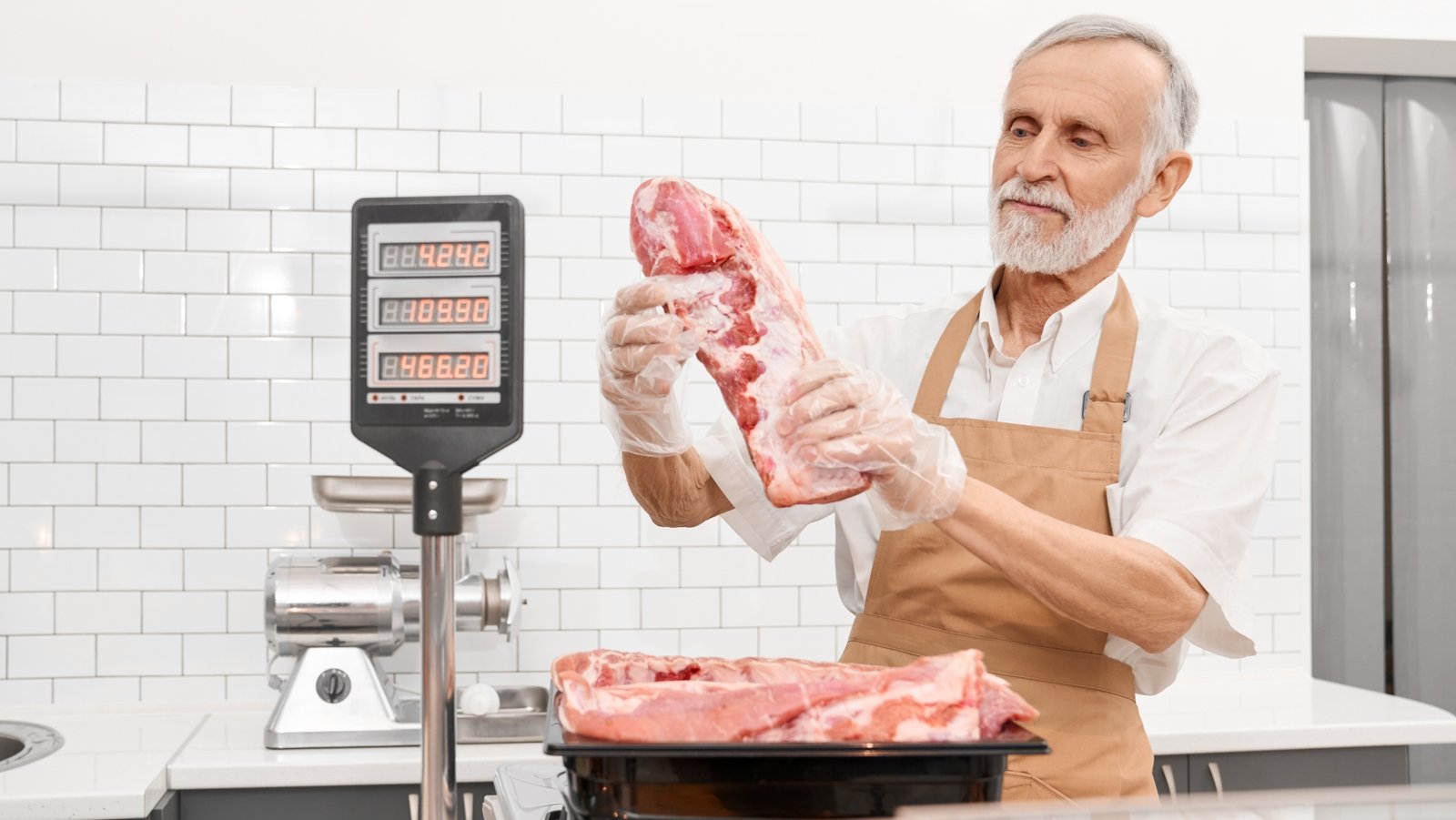
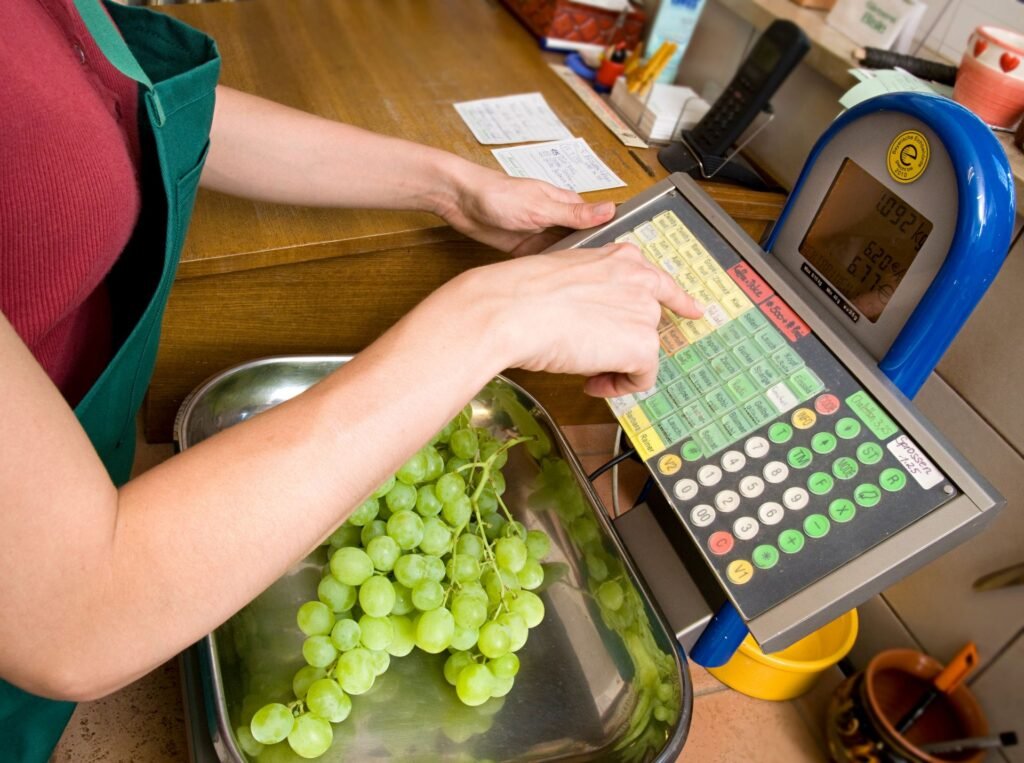
In larger stores, the produce department has its own price computing scale — a standalone instrument where customers or produce associates weigh items and print a price label before the produce reaches the checkout. The customer weighs their bananas at the produce scale, the scale prints a barcode label showing the weight and calculated price, and the cashier simply scans that label at checkout. The POS does not interact with a scale at checkout for pre-labeled produce — it treats the barcode like any other fixed-price item.
This workflow separates the weighing step from the checkout step entirely. It speeds up checkout for high-volume produce stores and allows the produce associate, rather than the checkout cashier, to handle the weight verification. The produce scale must be NTEP certified for legal-for-trade use — the label it prints determines what the customer pays. For the full guide to price computing scales used in this application, see our article on what is a price computing scale and how does it work.
2. The Checkout Lane POS Scale
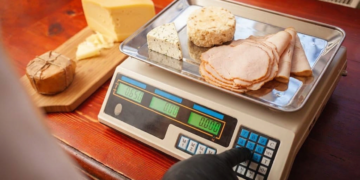
At the checkout lane, a POS-integrated scale sits directly at the register. It connects directly to the store’s POS terminal via RS-232 or USB. When the cashier selects a produce item in the POS system and places it on the scale, the weight feeds into the transaction automatically. Clickship
This is the primary workflow for stores where produce is not pre-labeled — the customer places loose produce in their basket, the cashier places it on the checkout scale, identifies the item in the POS, and the transaction is completed automatically. No manual weight entry. No price lookup from a printed label. The scale weight goes directly into the calculation.
3. The Self-Checkout Kiosk Scale
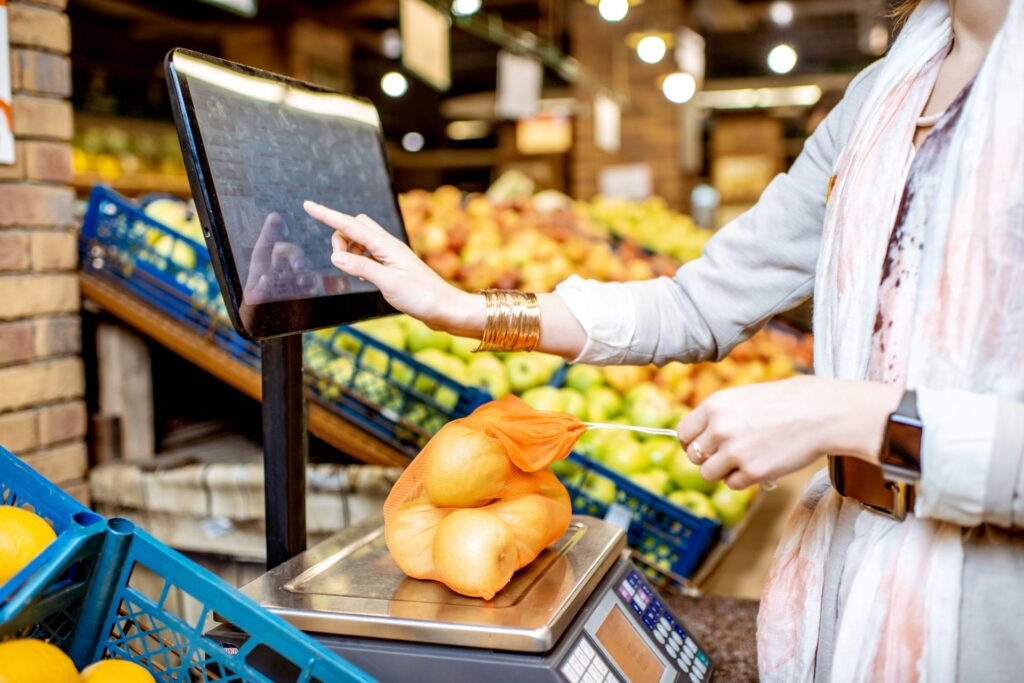
Modern self-checkout kiosks include an integrated scale built into the bagging area. The customer places the produce on the scale surface, identifies the item on the touchscreen — typically by selecting from a visual menu or entering a PLU code — and the system calculates the price automatically. The kiosk’s scale communicates with the POS system through the same protocol as a staffed checkout lane scale, just without a cashier intermediary.
How the POS-Scale Integration Actually Works — Step by Step
Understanding the data flow between the scale and the POS system explains why compatibility matters so much and what fails when the integration is wrong.
Step 1 — Item identification. The cashier identifies the produce item in the POS system. For pre-labeled produce with a barcode, this is a scan. For loose produce at the checkout scale, this is done one of three ways: a PLU code entered manually, a touchscreen visual lookup where the cashier selects the item from a produce grid, or a barcode scan of the produce department’s PLU sticker if the store uses PLU-coded bags.
PLU codes are used for products that don’t have barcodes, especially for fresh produce or bulk items. When a customer purchases these items, the cashier enters the PLU code into the POS system. The system then looks up the corresponding price and adds it to the transaction. For example, a bunch of bananas may have a PLU code such as 4011, which corresponds to its price per pound. When the cashier enters this code, the system looks up the price and charges the customer accordingly. ECORN Agency
Step 2 — Weight capture. The produce is placed on the checkout scale. The scale reads the weight, stabilizes, and transmits the stable weight value to the POS system through the communication interface — RS-232 or USB in most installations. The POS receives the weight as a data value and holds it in the active transaction record.
Step 3 — Price calculation. The POS multiplies the received weight by the price per pound from its item database for the identified PLU code. For items sold by weight, such as fruits and vegetables, the cashier places them on the weight scale, the scale calculates the weight and automatically sends this information to the POS system, which then calculates the price based on the weight and unit price per pound or kilogram. The Examiner News
Step 4 — Transaction addition. The calculated price is added to the customer’s running transaction total on the register screen. The customer-facing display shows the item, the weight, the price per pound, and the calculated total simultaneously — a legal requirement in most states for consumer transparency.
Step 5 — Inventory update. A grocery POS system with scale integration provides real-time inventory updates. Each time an item is weighed and sold, the system automatically recalculates and updates the inventory. The store knows exactly how much of each product it has, enabling informed decisions about reordering. For random-weight produce items, this means inventory is tracked by weight sold rather than by unit count — a fundamentally different inventory model from fixed-price items. ShippingEasy
The Communication Protocols: RS-232 vs USB
The physical connection between the scale and the POS terminal determines what data can be transmitted and how reliably.
RS-232 serial connection is the legacy standard that still dominates grocery POS scale installations — particularly in established supermarket environments where the POS infrastructure was built a decade or more ago. RS-232 uses a specific communication protocol that the scale and POS must both support. The weight data is transmitted as a serial string in a format the POS software expects — typically including the weight value, the unit, and a status code confirming the reading is stable. Protocol compatibility must be confirmed between the specific scale model and the specific POS software version — RS-232 does not provide automatic compatibility.
USB connection is the current standard for newer POS installations. USB-connected scales are recognized by the POS terminal through a scale driver installed on the terminal. The driver translates the scale’s USB output into the weight data format the POS software expects. USB-connected scales are generally more broadly compatible across POS platforms than RS-232 models — but driver compatibility for the specific scale model must still be confirmed.
The compatibility verification requirement: As Central Carolina Scale — an established US scale dealer — explains, POS interface scales connect to the cash register or POS system and work together to ensure that product weights are transferred directly into the transaction without manual entry. However, this connection only works when the scale model is specifically listed as compatible with the POS platform and version in use. The POS vendor’s compatible hardware list — not the scale manufacturer’s compatibility claims — is the authoritative source for pre-purchase verification. Clickship
PLU Codes: The Bridge Between the Scale and the Price Database
PLU (Price Look-Up) codes are the numerical identifiers that link a produce item at the checkout to its price per pound in the POS database. They are the mechanism that makes pricing dynamic rather than fixed.
The standard PLU code system for produce is maintained by the International Federation for Produce Standards (IFPS) — a four or five-digit code assigned to each produce variety globally. The most recognized example is PLU code 4011 for conventional yellow bananas. When the cashier enters 4011, the POS retrieves the store’s current price per pound for conventional yellow bananas from its database and applies it to whatever weight the connected scale transmits.
How stores manage PLU price updates: Produce prices change daily based on market conditions, seasonal availability, and promotional schedules. The grocery POS back office system allows the produce manager to update the price per pound for any PLU code centrally, and that update propagates to every checkout lane scale and produce department scale simultaneously. A price change entered in the back office at 7 AM appears on every checkout scale by the time the store opens.
As Auto-Star POS software integrates with the fastest grocery scanner/scales, and the price look-up software and checkout interface work seamlessly with touchscreens and POS scales to make checkout faster and more efficient. The PLU code database is the critical link between the hardware (scale) and the commercial outcome (correct price). MUNBYN
Tare Weight in Grocery POS Scale Integration
The tare function — which subtracts the weight of a container or bag from the total weight — plays a specific role in grocery produce pricing that is legally governed by Weights and Measures regulations.
When a customer uses a produce bag, the bag’s weight must not be charged to the customer. Most grocery checkout scales handle this in one of two ways:
Pre-programmed container tare: The POS system stores the average tare weight for standard produce bags used in the store. When the cashier initiates a weighted produce transaction, the system automatically subtracts the standard bag tare from the scale reading before calculating the price. The customer is charged only for the produce.
Manual tare at the scale: The cashier places the empty bag on the scale, presses tare to zero the reading, then adds the produce. The scale transmits only the net produce weight to the POS.
As confirmed by NIST Handbook 44, retail scales used in commercial transactions where weight determines price must correctly apply tare — a scale that charges customers for packaging weight is a legal violation under Weights and Measures regulations. The POS system’s tare handling must be verified and documented as part of the store’s scale compliance program.
NTEP Certification and Weights and Measures Compliance
Every scale in a grocery store that determines what a customer pays must be NTEP certified and sealed by a state Weights and Measures inspector for legal-for-trade use. This applies to checkout lane POS scales, produce department price computing scales, deli counter scales, and self-checkout kiosk scales.
As confirmed by the National Conference on Weights and Measures, NTEP certification means the scale model has been independently tested against NIST Handbook 44 accuracy and construction requirements. The state inspection seal on the individual unit confirms it has been tested in place and authorized for commercial use in that state.
For POS-integrated checkout scales specifically: NTEP certification and POS compatibility are independent requirements. A scale can be POS-compatible without being NTEP certified — and a non-certified scale, regardless of how accurately it communicates weight to the POS, is not legally authorized for use in a commercial transaction where a customer’s price is determined by the weight. Both requirements must be satisfied before any checkout lane scale enters commercial service.
State Weights and Measures inspectors periodically test scales throughout grocery stores — including checkout lane scales — using certified reference weights. A scale found out of tolerance is condemned and removed from service until recalibrated and re-inspected. For the complete guide to retail scale compliance requirements and calibration schedules, see our article on retail scale calibration: how often and what the law requires.
What Fails When the POS-Scale Integration Is Wrong
Understanding the failure modes of POS scale integration explains why compatibility verification before purchase is non-negotiable.
Wrong communication protocol: A scale transmitting RS-232 data in a format the POS does not recognize produces no weight data in the transaction — the cashier must enter the weight manually, eliminating the integration’s core benefit.
Driver incompatibility: A USB-connected scale whose driver is not supported by the current POS version may connect at the hardware level but transmit weight data in a format the POS cannot parse. The result is the same — no automatic weight capture.
Tare misconfiguration: If the POS system’s tare settings do not match the actual tare weights of the containers in use, customers are systematically overcharged or undercharged. Overcharging is a regulatory violation. Undercharging is a margin loss.
Scale out of calibration: If the checkout scale’s weight readings drift outside calibration tolerance, every produce transaction through that lane is priced on an inaccurate weight. The error is invisible to the cashier and the customer — both see a weight and a price that appear normal. The only way this is caught is through Weights and Measures inspection or active in-house calibration verification.
FAQs
How does a grocery store POS handle produce sold by weight?
A POS-integrated checkout scale communicates with the register via RS-232 or USB. The cashier identifies the produce item using a PLU code or barcode, places the produce on the scale, and the scale transmits the stable weight to the POS automatically. The POS multiplies the weight by the item’s current price per pound from its database and adds the calculated price to the transaction — without any manual weight entry.
What is a PLU code in a grocery POS system?
A PLU (Price Look-Up) code is the numerical identifier that links a produce item at the checkout to its price per pound in the POS database. Standard PLU codes for common produce items are maintained by the International Federation for Produce Standards — for example, PLU code 4011 for conventional yellow bananas. The cashier enters or scans the PLU code, and the POS retrieves the current price per pound for that item.
Do grocery checkout scales need to be NTEP certified?
Yes. Any grocery store scale used in a transaction where a customer’s price is determined by the weight — including checkout lane POS scales, produce department scales, deli counter scales, and self-checkout kiosk scales — must be NTEP certified and sealed by a state Weights and Measures inspector. NTEP certification and POS compatibility are independent requirements — both must be satisfied.
What is the difference between RS-232 and USB connections for grocery POS scales?
RS-232 is the legacy serial communication standard that dominates established grocery POS environments. It uses a specific weight data transmission protocol that must match between the scale and the POS software. USB is the current standard for newer installations, using a driver installed on the POS terminal to translate the scale’s output. Both require that the specific scale model is confirmed as compatible with the specific POS platform and version in use before purchase.
How are produce prices updated in a grocery POS system?
Produce prices are stored in the POS database linked to each PLU code. The produce manager updates the price per pound for any PLU code in the POS back office system — and the update propagates to every checkout lane and produce department scale in the store simultaneously. This allows daily price adjustments based on market conditions, seasonal availability, and promotional schedules without manual changes at each scale.
What happens if the POS scale is out of calibration?
Every produce transaction through that checkout lane is priced on an inaccurate weight. The error is invisible to the cashier and the customer — both see a weight and a price that appear normal. The practical consequences are systematic overcharging or undercharging, depending on the direction of calibration drift. State Weights and Measures inspectors test grocery store scales periodically — a scale found out of tolerance is condemned and removed from service.
Conclusion
A grocery POS system handles produce sold by weight through a tightly integrated workflow — PLU code identification, live weight capture from a calibrated checkout scale, automatic price calculation from the database, and real-time inventory update — that eliminates manual weight entry and the pricing errors that come with it.
The integration works correctly only when three conditions are simultaneously satisfied: the scale model is specifically compatible with the POS platform and version, the scale carries NTEP certification for legal-for-trade commercial use, and the scale is calibrated and within Weights and Measures tolerance. Any one of these conditions failing produces the same outcome — incorrect pricing, compliance exposure, or both.
For the complete guide to every scale type used across a grocery store — produce department, deli counter, checkout lane, and receiving dock — see our article on grocery store scales: every type and where it belongs.