






The tare function is one of the most used features on any digital scale — and one of the least understood. Almost every person who has used a kitchen scale, a shipping scale, a laboratory balance, or a retail deli scale has pressed the tare button. Far fewer can explain precisely what it does, why it produces the result it does, or how the four different types of tare functions work differently from each other.
This article explains the tare function completely — what it does, how it works inside the scale’s electronics, the difference between tare and zero, every type of tare function available on commercial scales, how tare affects the scale’s capacity, and the specific applications where each type matters.
Table of Contents
What the Tare Function Does
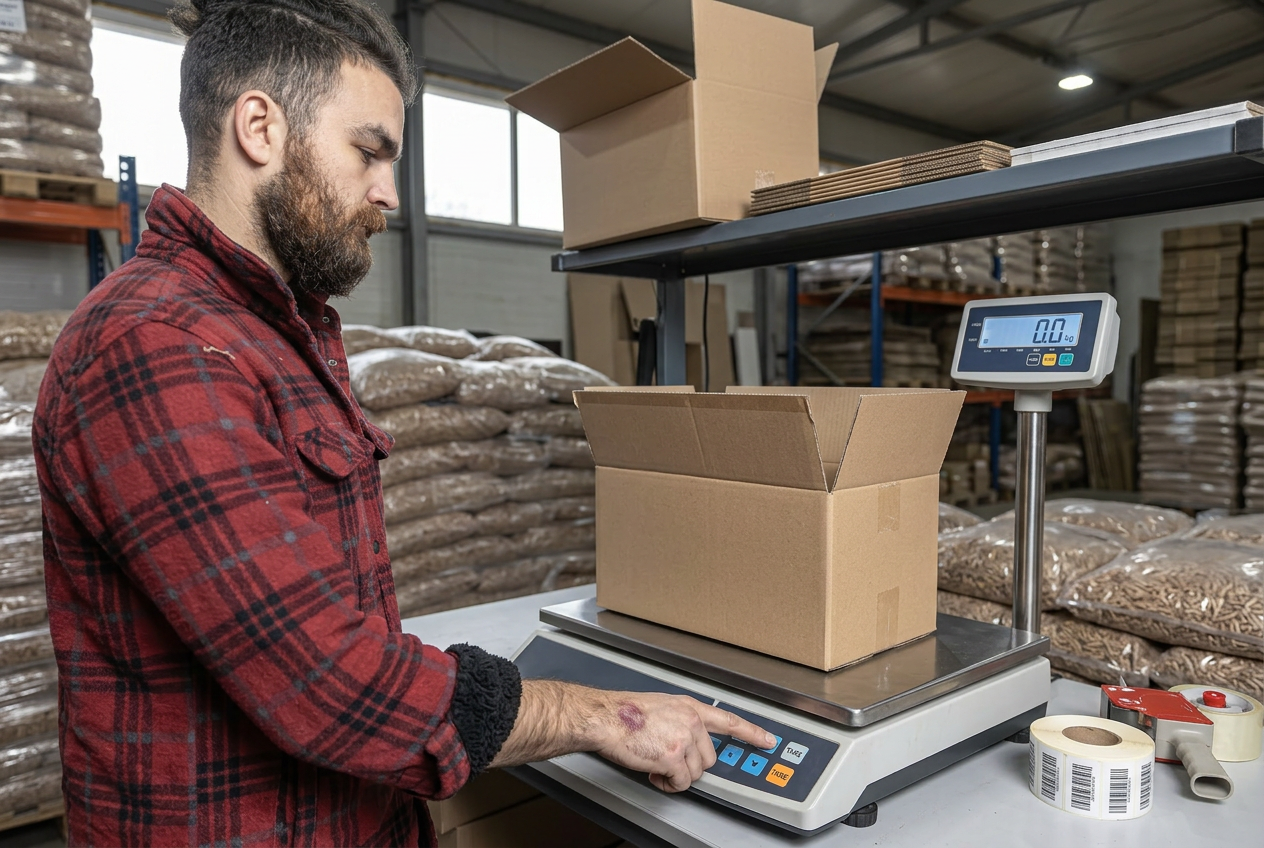
The tare function subtracts the weight of a container, packaging, or any object currently on the scale platform from the displayed reading — and resets the display to zero. When you add the material you actually want to measure, only its weight appears on the display. The container’s weight is ignored entirely.
Pressing the tare button resets the balance’s display to zero, allowing you to measure a compound without including the container’s weight in the reading.
The practical result is that you never need to subtract container weight manually. The scale does it automatically — faster, more consistently, and without the arithmetic errors that manual subtraction introduces at volume.
The Three Weight Terms the Tare Function Connects
Before explaining how tare works mechanically, it helps to be precise about the three weight terms it connects.
Tare weight: The weight of the empty container, packaging, vessel, or any object placed on the scale that is not the material being measured. It is the number the scale stores and subtracts automatically when tare is activated.
Net weight: The weight of the material alone — excluding all containers, packaging, and supporting objects. Net weight is what product labels, shipping labels, laboratory records, and commercial invoices are based on. It is the number that matters for billing, compliance, and quality control.
Gross weight: The combined total of net weight plus tare weight. Before the tare is activated, the gross weight is what the display shows. After tare is activated, the display shows net weight — the gross weight minus the stored tare.
Understanding the relationship between these three values explains every tare function scenario — from a laboratory analyst weighing a reagent in a beaker to a warehouse operator weighing a pallet including all packaging and securing materials.
How the Tare Function Works Inside the Scale
When you place a container on the scale platform and press the tare button, the scale’s internal processor records the current weight reading — the gross weight of the container — and stores it in working memory. The scale’s internal processor records the weight of the container and stores it in memory, then automatically subtracts this stored value from every subsequent measurement.
From that point forward, the scale continuously subtracts the stored tare value from the incoming load cell signal before displaying the result. When you add material to the container, the display shows only the increase in weight above the stored tare — the net weight of the material alone.
When you remove the container from the platform, the display shows a negative value equal to the stored tare weight. This negative reading confirms the tare is still active. Pressing tare again with the platform empty — or pressing the zero button — clears the stored tare and returns the scale to its normal zero state.
Tare vs Zero — The Distinction That Trips Up Most Operators
Tare and zero are the two most frequently confused functions on any scale. They appear to do the same thing — both reset the display to zero. The difference is fundamental.
Zero resets the scale’s baseline to zero when the platform is completely empty. It corrects for drift caused by debris accumulation, temperature change, or minor calibration shift since the last full calibration. Zero adjusts the scale’s absolute reference point. The zero function applies when there is no weight on the scale at all — it re-establishes the baseline for all measurements.
Tare creates a temporary relative zero with something on the platform. It does not change the scale’s absolute reference point. It tells the scale to treat the current platform weight as the new zero for measurement purposes — while the underlying zero reference remains unchanged.
The practical rule from Weigherps is straightforward: use the Zero button when the scale platform is completely empty to re-establish the baseline. Use the Tare button when a container or packaging is on the scale that you do not want included in the final weight.
Critical point — tare does not recalibrate the scale. It applies a temporary subtraction. A scale that is out of calibration produces inaccurate results regardless of whether tare has been correctly applied. Tare removes the container weight — it cannot correct for a scale that was already reading incorrectly before the container was placed on it.
The Four Types of Tare Functions
Not all tare functions work the same way. Commercial and industrial scales offer four distinct tare configurations — each suited to different workflow requirements.
1. Manual Tare (Press-to-Tare)
The most universal tare type. The operator places the container on the platform, waits for the reading to stabilize, and presses the tare button. The display resets to zero. This is the standard tare function on virtually every digital scale, from kitchen scales through to industrial floor scales.
Best for: General-purpose weighing where the container weight varies between weighing events — different box sizes at a shipping station, different vessel sizes in a laboratory, different packaging at a retail deli counter.
Limitation: Requires operator action at every weighing event. In high-throughput applications where the same container is used for every weighing, pressing tare manually hundreds of times per shift introduces a compliance risk — operators may skip the step when under time pressure.
2. Preset Tare (Pre-programmed Tare)
A fixed tare value is entered and stored in the scale’s indicator memory. The scale automatically subtracts that value from every reading without the operator needing to place the container on the platform first or press any button. Some scales allow users to pre-program a tare value — very useful for repetitive weighing with the same container type.
Best for: Production lines and packing stations where the same container type is used consistently — a standard shipping box of known weight, a standard drum, a standard beaker. The preset tare eliminates the per-cycle tare step entirely, increasing throughput and eliminating the risk of operators forgetting to tare.
Limitation: Relies on the container weight being consistent. If container weights vary between individual units — as happens with cardboard boxes that absorb moisture or aged containers that have been repaired — the preset tare introduces systematic error.
3. Multi-Tare (Sequential Tare)
Multiple tare operations are applied sequentially in the same weighing event. Each press of the tare button stores the current reading and resets the display to zero — allowing additional materials to be added and their individual net weights captured without emptying the platform.
Best for: Recipe and formulation applications where multiple ingredients are added to the same vessel in sequence. A food production operator adding flour, sugar, and butter to a mixing bowl in sequence uses multi-tare to capture each ingredient’s net weight individually without removing the bowl between additions. Laboratory analysts use multi-tare for sequential reagent addition to a reaction vessel.
Limitation: Each sequential tare consumes part of the scale’s available capacity. If the cumulative tare exceeds the scale’s tare range — typically up to 100% of capacity on most industrial scales — the function is disabled. Operators must track cumulative tare use to avoid approaching the capacity limit.
4. Auto-Tare (Automatic Tare)
The scale automatically applies tare when a container is placed on the platform — without requiring the operator to press any button. The scale detects a new object on the platform, waits for the reading to stabilize, stores the weight as the tare value, and resets to zero automatically. The operator places the container and immediately adds the material — the tare step is invisible.
Best for: High-throughput retail and production environments where every operator action adds time — deli counters, produce departments, filling lines, and packaging stations where speed and consistency are both critical.
Limitation: Auto-tare activates on any object placed on the platform — if an operator places a partially filled container on the scale, the auto-tare stores the current total weight as the tare value, producing an incorrect net weight reading. Auto-tare requires that containers are placed empty.
Tare and Scale Capacity — The Most Common Mistake
This is the single most common tare-related error on commercial scales — and it is one that Adam Equipment specifically warns about.
Taring does not increase a scale’s capacity. When you press tare, the scale’s display resets to zero — but the load cell is still supporting the container’s weight. That weight still counts against the scale’s total capacity.
Worked example: A 500 g capacity precision balance has 200 g of beakers and tools tared on the platform. The display reads 0.00 g. The operator now has only 300 g of remaining weighing capacity before the load cell reaches its maximum rated load — not 500 g. Adding more than 300 g of sample to the tared vessel overloads the scale.
Overloading a scale — even briefly — can permanently shift the load cell’s zero point and reduce its linearity. A scale that has been overloaded may continue to display readings while producing inaccurate results. The capacity limit applies to the total load on the platform — tared weight plus net weight combined — not to the net weight alone.
The practical rule: always confirm that your container weight plus the maximum expected sample weight does not exceed the scale’s rated capacity. For scales used with heavy containers, this calculation should be performed before the scale is purchased — not after it has been installed.
Tare in Specific Applications Across Industries
The tare function appears in every industry that uses weighing, but its practical implementation differs significantly by application.
Shipping and Logistics
In shipping, tare ensures that the carrier’s billing weight reflects the contents and all packaging combined — not the contents alone. A packing station operator tares the empty box, adds the product, and the display shows the total shipment weight ready for the shipping label. For the specific application of tare in shipping scale use — including how tare affects carrier billing and the most common shipping tare errors — see our dedicated article on the tare function on a shipping scale.
Retail and Commercial Weighing
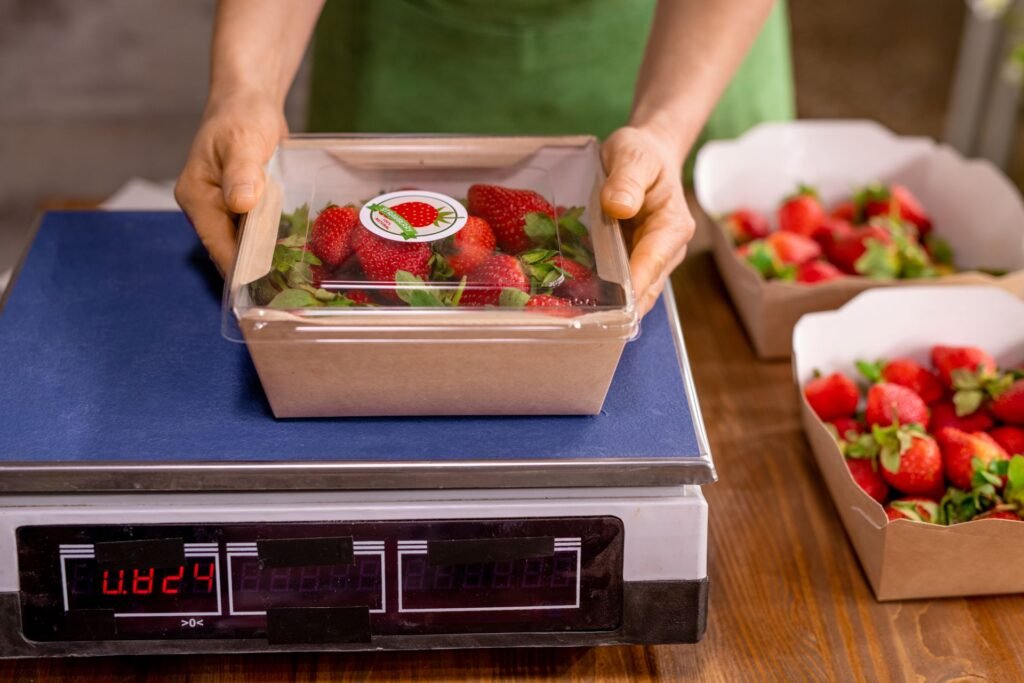
At a deli counter or produce scale, tare removes the weight of the bag, tray, or container so the customer pays for the product only — not packaging. NIST Handbook 44 and state Weights and Measures regulations require that retail scales used in commercial transactions where weight determines price correctly apply tare, ensuring consumers are charged for net product weight only. A retail scale that charges customers for packaging weight is a legal violation. State weights and measures laws, most of which are based on NIST Handbook 130, require food and other commodities sold by weight to be sold by net weight, and NIST Handbook 44 sets the technical requirements for the tare function on commercial scales. Charging customers for the bag, tray or container is a violation, and inspectors routinely check it.
Laboratory and Analytical Weighing
In laboratory settings, tare allows analysts to weigh samples in beakers, flasks, weighing boats, and other vessels without including the vessel in the measurement. Multi-tare is particularly important in formulation and gravimetric analysis — sequential additions to a reaction vessel can each be measured individually without removing and reweighing the vessel between additions. For the full guide to laboratory balance use and calibration requirements, see our article on how to calibrate a lab balance.

Industrial and Manufacturing
On production floors, preset tare is the primary configuration. When the same container type — a standard drum, a standard IBC, a standard production bin — is used consistently, the preset tare value is programmed into the indicator and applied automatically. This eliminates per-cycle operator tare steps that slow production and create compliance risk on high-throughput lines.
Truck and Vehicle Weighing
In truck scale applications, tare refers to the empty vehicle weight — the curb weight of the truck and trailer without cargo. The tare weight is determined by weighing the empty vehicle on the weighbridge. The truck is then loaded and weighed again — the difference between gross weight and tare weight is the net payload weight used for billing and transport compliance documentation.
Agriculture
In livestock and grain weighing, tare removes the weight of the livestock cage, pallet, or grain container from the reading. A livestock scale operator tares the cage weight so only the animal’s weight is recorded. A grain operation tares the empty truck before loading to determine the net grain weight from the gross loaded weight. For the full guide to livestock scale use, including tare applications in animal weighing, see our farm scales guide.
Common Tare Errors and How to Avoid Them
These are the most frequently occurring tare-related errors in commercial and industrial weighing.
Taring with a partially filled container: If the container already contains some material when tare is pressed, the scale stores the combined weight as the tare value. The subsequent net weight reading reflects only the material added after taring — not the total contents. In shipping, this produces a declared weight lower than the actual package weight. In food production, it produces an incorrect batch weight.
Forgetting to tare: The most common error in manual tare environments. Without taring, the displayed weight includes the container. In shipping, the carrier’s scale measures the correct gross weight and adjusts the invoice. In retail, the customer is overcharged for the packaging. In laboratory settings, the recorded sample weight is incorrect.
Taring with an unstable reading: If the tare button is pressed before the platform reading has fully stabilized — while the displayed value is still settling — the stored tare value is inaccurate. Every net weight reading produced using that unstable tare is systematically wrong by the magnitude of the stabilization error. Always wait for a stable, consistent reading before pressing tare.
Exceeding capacity after taring: Adding more material than the scale’s remaining capacity allows after a tare has been applied. The scale overloads, the reading becomes invalid, and the load cell may be permanently damaged. Always calculate remaining capacity before beginning a tare operation.
FAQs
What does the tare function do on a scale?
The tare function subtracts the weight of a container or packaging currently on the scale platform and resets the display to zero. When material is added, only the net weight of that material is displayed — the container’s weight is automatically subtracted without any manual calculation.
What is the difference between tare and zero on a scale?
Zero resets the scale’s absolute baseline to zero when the platform is completely empty — correcting for drift or debris. Tare creates a temporary relative zero with something on the platform — subtracting the container weight from all subsequent readings. Zero is for an empty scale. Tare is for a scale with a container already on it.
Does taring a scale increase its capacity?
No. Taring resets the display to zero but does not change the load cell’s physical capacity. The tared container weight still counts against the scale’s total rated capacity. If a 500 g scale has a 200 g container tared on it, only 300 g of additional material can be added before the scale is overloaded.
What are the different types of tare functions?
The four main types are manual tare (operator presses the button each time), preset tare (a fixed value is pre-programmed for consistent containers), multi-tare (sequential tare operations for adding multiple ingredients to the same vessel), and auto-tare (the scale automatically applies tare when a container is placed on the platform).
Can tare be used multiple times in one weighing session?
Yes — multi-tare allows sequential tare operations without emptying the platform. Each press of the tare button stores the current reading and resets the display, allowing additional ingredients to be added and their individual weights captured. The cumulative tared weight still counts against the scale’s capacity.
Why does the scale show a negative number after I remove the container?
When tare is active and the container is removed, the display shows a negative value equal to the stored tare weight. This is correct behavior — the scale is showing that the current platform load is less than the stored tare value. Press the tare button again with the platform empty to clear the stored tare and return to normal zero.
Conclusion
The tare function is the feature that separates a weighing instrument from a net weight measurement instrument. Without it, every weighing result includes the container, and every application that requires net weight requires manual subtraction of the tare. With it, the container weight disappears from the display automatically, and only the material that matters is measured.
Understanding the four tare types — manual, preset, multi-tare, and auto-tare — allows you to match the right configuration to the workflow, eliminating both the operator errors and the throughput losses that the wrong tare configuration creates. And understanding the capacity rule — that tared weight still counts against the scale’s rated load — prevents the most common and most damaging tare-related error in commercial and industrial weighing.
Sources
- NIST, Handbook 44 — Current Edition (scale tare requirements).
- NIST, Handbook 130 — Uniform Laws and Regulations (method of sale by net weight).
- NIST, Handbook 133 — Checking the Net Contents of Packaged Goods.
Last reviewed September 2026 by the Scale Blog editorial team.