








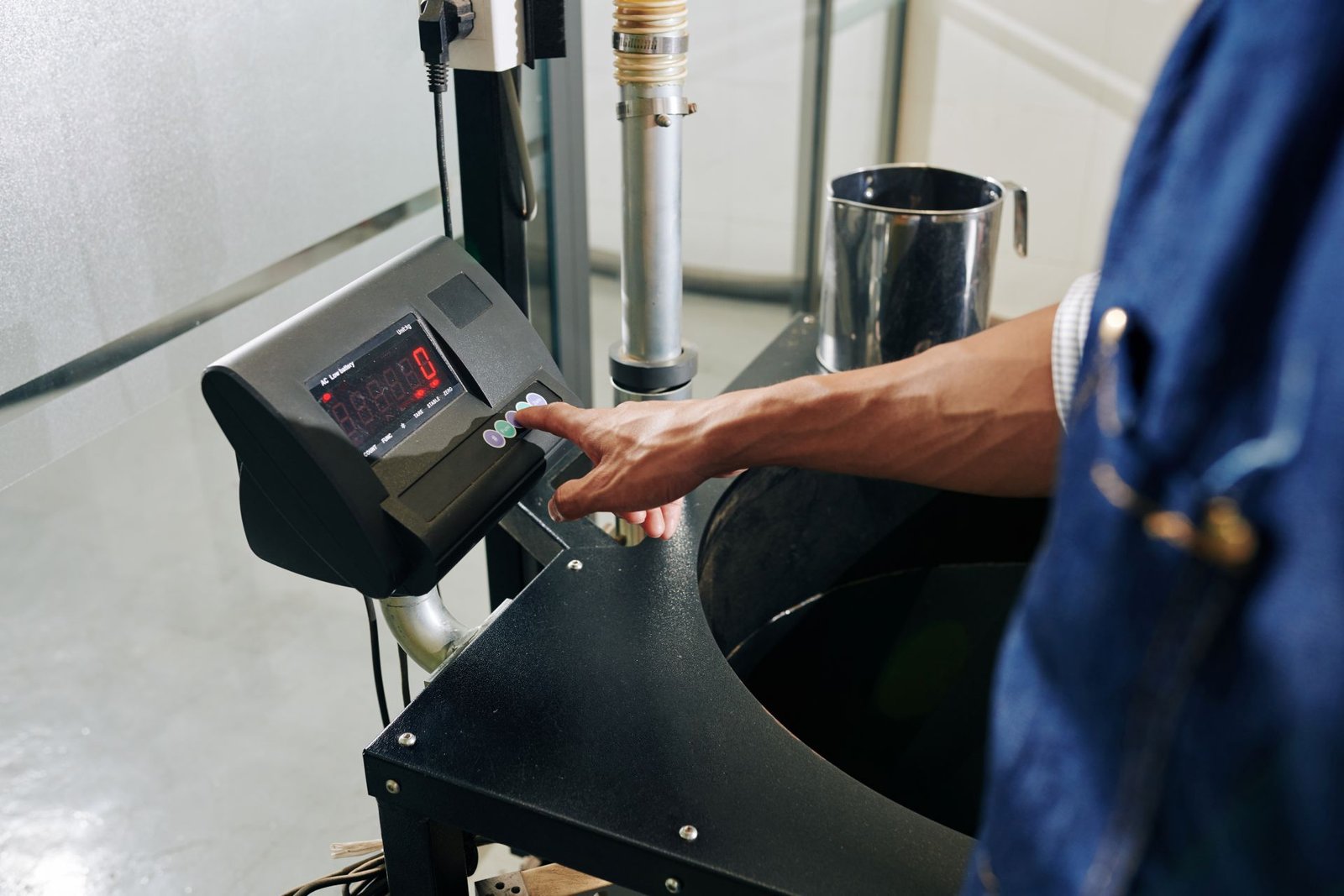
Every packing station deals with the same problem. The shipping box weighs something. The bubble wrap weighs something. The packing fill weighs something. None of those weights should appear on the carrier label — only the product weight matters for billing.
The tare function solves this problem. It subtracts the weight of any packaging or container from the scale reading automatically. What remains on the display is the net weight of the product alone. Used correctly, the tare function eliminates an entire category of shipping billing errors. Used incorrectly — or not used at all — it generates systematic overpayments or underpayments on every shipment.
This article explains exactly what the tare function does, how each type works, and why getting it right matters for every package that leaves your operation.
Table of Contents
Gross Weight, Tare Weight, and Net Weight — The Three Numbers That Matter
Before explaining the tare function, it is worth being precise about the three weight terms it connects.
Tare weight is the weight of the empty container, box, packaging, or pallet — anything that holds the product but is not the product itself. As Inbound Logistics — a leading US trade publication — explains, tare weight is the weight of the container when it is empty. It is the number subtracted to reveal the true product weight.
Net weight is the weight of the product alone. It excludes all packaging, containers, and pallet weight. Net weight is what customs declarations, product labels, and carrier billing documents are based on.
Gross weight is the combined total. It is the net weight plus the tare weight of all packaging.
The relationship is simple:
Gross Weight − Tare Weight = Net Weight
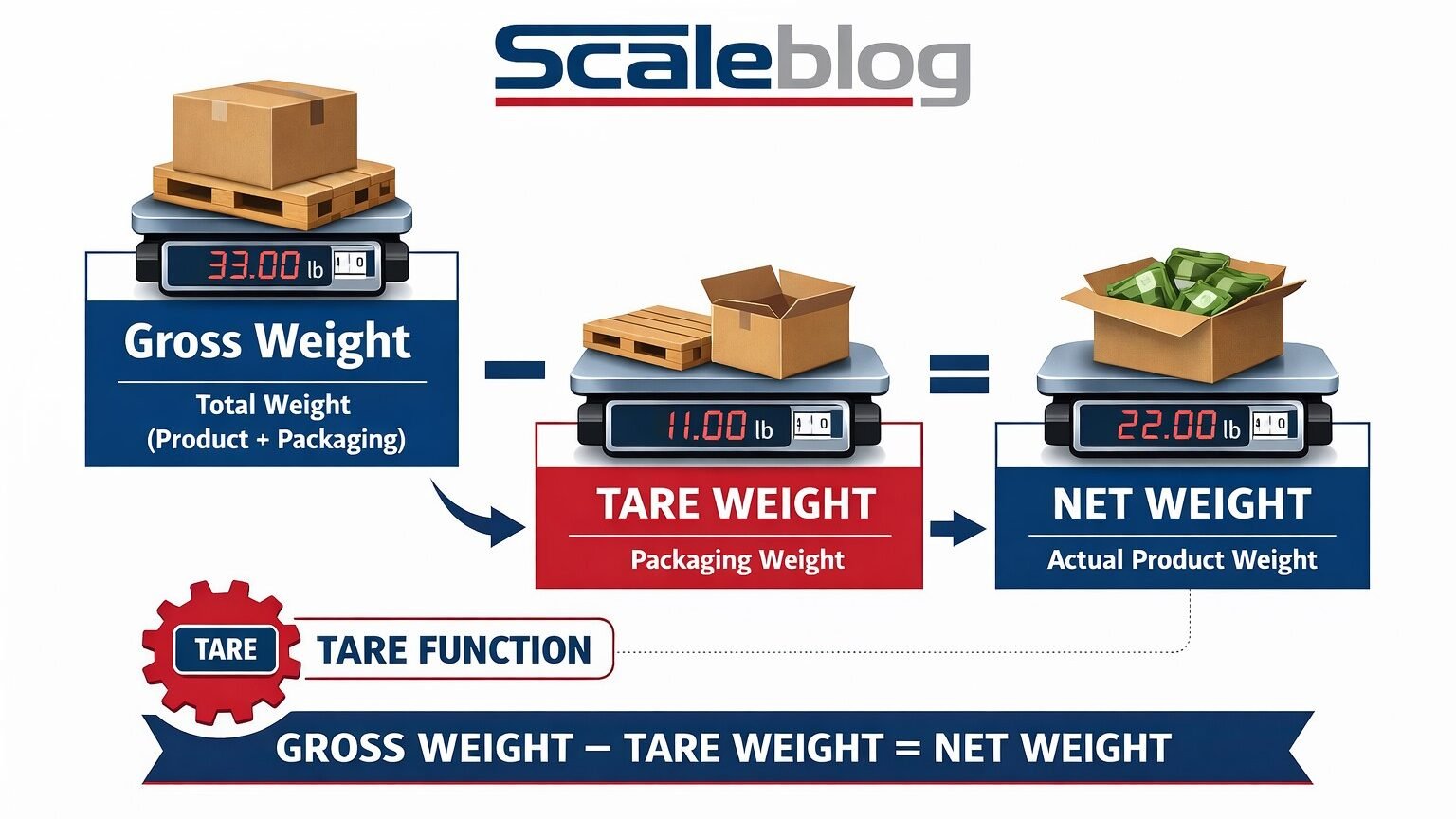
A shipping scale without a tare function forces the operator to calculate this subtraction manually — every time, for every package. A shipping scale with a tare function performs this subtraction automatically. The display shows net weight directly.
What the Tare Function Does on a Shipping Scale
Pressing the tare button on a digital shipping scale tells the scale to treat the current reading as the new zero point. Everything currently on the platform is ignored from that moment forward. Only additional weight placed on the platform after the tare is pressed will register as a positive reading.
As Adam Equipment — a global scale manufacturer — explains, placing a container on the scale and pressing tare takes the display from the container’s actual weight to 0.00. The container is still physically on the platform. The load cells are still measuring their weight. The scale’s processor is simply subtracting it before displaying the result.
The practical sequence at a packing station looks like this:
- Place the empty shipping box on the scale platform
- Press Tare — the display reads 0.00
- Place the product inside the box
- Read the net product weight directly from the display
- That net weight is what goes on the carrier label
No subtraction. No mental arithmetic. No transcription errors.
Types of Tare Functions on Shipping Scales
Not all tare functions work the same way. Understanding the differences helps you specify the right scale for your specific packing workflow.
Manual Push-Button Tare
The most common type. The operator places the empty container on the platform and presses a dedicated Tare button. The display resets to zero. The operator then adds the product. The display shows the net weight.
Manual tare is cleared when the scale is re-zeroed or powered off. It is the correct choice for operations where packaging varies from package to package and a fresh tare must be taken for each container.
Preset Tare (Keyboard Tare)
Some scales allow the operator to enter a known tare weight directly using the numeric keypad rather than physically weighing the empty container. The operator types the packaging weight and presses Tare. The scale subtracts that value from every subsequent reading until the preset is cleared.
This is useful when the container is already filled with product and cannot be weighed empty. It is also useful when all packages use the same box weight — the operator enters the preset once and does not need to re-tare for each individual package.
Programmable Tare Memory
Higher-end shipping scale indicators allow multiple tare values to be stored in memory — typically 10 to 20 presets. The operator selects the appropriate preset for the box size in use. This is particularly valuable at packing stations that regularly use a small set of standardized box sizes with known weights.
Auto-Tare
Some scales are configured to automatically tare when a new container is detected on the platform. This removes the tare step from the operator’s workflow entirely. Auto-tare is standard in high-volume automated packing lines. It is less common on manually operated bench scales.

How the Tare Function Affects the Scale’s Available Capacity
This is the aspect of tare that is most frequently misunderstood. It has important implications for capacity planning.
When a tare weight is applied, the scale’s available measuring range is reduced by the tare value. The scale’s total capacity does not increase. The tare simply shifts the zero reference point.
As Adam Equipment states clearly, if a scale has a capacity of 150 lb and a tare weight of 5 lb is applied, the maximum product weight the scale can display is 145 lb — not 150 lb. Placing 150 lb of product in the tared container produces a gross weight of 155 lb, which exceeds the scale’s rated capacity. This overloads the load cells.
Practical rule: When selecting a shipping scale, add the maximum expected tare weight of your heaviest packaging to the maximum expected product weight. That combined figure must fall within the scale’s rated capacity, with a 20–25% safety margin applied above it.
For example: A product that weighs up to 80 lb, shipped in a box that weighs up to 3 lb, needs a scale with a capacity of at least 83 lb plus 20–25% — meaning a 110 lb or 150 lb capacity model is appropriate. A 100 lb scale is marginal, and risks overload on your heaviest packages.
For full guidance on selecting the right capacity for your operation, see our article on how to choose a shipping scale for your business.
The Tare Function and Shipping Billing Accuracy
Carrier billing is based on the weight captured at the point of shipping. If that weight includes packaging, the carrier receives a higher figure than the net product weight. This has two consequences depending on which direction the error runs.
Including packaging weight in the billed weight — The carrier charges for gross weight rather than net weight. On a single small package, this may be a few cents. Across thousands of shipments per month, it is a measurable overpayment.
Excluding part of the packaging weight through an incorrect tare — The scale reads lower than the actual gross weight. The carrier’s own reweigh system detects the discrepancy. An invoice adjustment is issued after the fact. This is the more damaging outcome because it creates an unexpected cost that does not appear in pre-shipment planning.
The tare function prevents both errors when used consistently and correctly. Using it correctly means taring the actual empty packaging — not an approximation of it, and not the same tare value applied to a different box size.
Tare Function vs Zero Function — They Are Not the Same
This distinction causes frequent confusion at packing stations.
The zero function resets the scale to zero with nothing on the platform. Its purpose is to correct for minor zero drift — small changes in the load cell reading that accumulate over time due to temperature, dust on the platform, or cable tension. Pressing zero with an empty platform corrects the scale’s reference point.
The tare function resets the scale to zero with something on the platform — the container or packaging that is to be excluded from the measurement. It does not correct for zero drift. It establishes a new reference point that includes the weight of whatever is currently on the scale.
Using zero instead of tare when packaging is on the platform tells the scale to treat the packaging weight as a permanent correction to its baseline, which corrupts all subsequent readings until the scale is recalibrated. Always use zero with an empty platform. Always use tare with the packaging or container on the platform.
Tare in a Warehouse vs Tare on a Parcel Scale
The tare function operates identically in both settings, but the scale of the application differs significantly.
At a parcel packing station, tare typically accounts for a few ounces of corrugated cardboard and tape. The impact on billing is small per package, but compounds at volume.
In warehouse receiving and freight operations, tare accounts for full pallet weight — typically 35–50 lb for a standard GMA wooden pallet. At this scale, an incorrect or missing tare generates a billing error of 35–50 lb per pallet. On a 40-pallet inbound shipment, that is up to 2,000 lb of weight discrepancy.
For pallet-level tare applications in warehouse operations, see our articles on what is a pallet jack scale and how does it work and pallet scale vs floor scale: what is the difference for guidance on which scale type handles pallet tare most efficiently.
Common Tare Mistakes and How to Avoid Them
Using the same preset tare for different box sizes — Different boxes have different weights. Applying a 2 lb tare preset to a 4 lb box produces a 2 lb error on every package using that box. Measure actual box weights and maintain accurate presets for each box size in regular use.
Forgetting to clear the tare between packages — If tare is still active from a previous package and a new package is placed without re-taring, the displayed weight includes the uncleared tare offset from the previous container. The error is equal to the difference in weight between the previous container and the current one.
Taring over the scale’s capacity — Placing a heavy container on the scale to tare it reduces the available capacity below what the product weight requires. Always confirm that the gross weight of the container plus product stays within the scale’s rated capacity.
Relying on approximate box weights — Box weight varies by manufacturer, material grade, and moisture absorption. Weigh each box type on the scale and record the actual measured weight rather than using the manufacturer’s stated weight.
Conclusion
The tare function is one of the most operationally significant features on any shipping scale. It converts gross weight — the combined weight of product and packaging — into the net product weight that carrier billing and shipping documentation require. It does this automatically, eliminating the manual subtraction step that generates systematic errors at high-volume packing stations.
Understanding the difference between manual tare, preset tare, and programmable tare memory allows an operation to match the tare workflow to the actual packing process. Understanding the capacity implications of tare ensures the right scale is specified for the weight range in use. Understanding the difference between tare and zero ensures neither function is misapplied at the start of a shift.
For a complete overview of how a shipping scale works — including the load cell mechanism that the tare function relies on — see our article on what is a shipping scale and how does it work.
FAQs
What is the tare function on a shipping scale?
The tare function resets the scale’s display to zero with packaging or a container currently on the platform. It tells the scale to subtract the weight of that packaging from all subsequent readings, displaying only the net weight of the product placed inside. This eliminates the need to manually subtract packaging weight from the gross weight reading.
What is the difference between tare and zero on a shipping scale?
The zero function resets the scale to zero with nothing on the platform. It corrects for minor zero drift in the load cells. The tare function resets the scale to zero with packaging or a container already on the platform. It excludes that packaging weight from subsequent readings. Using zero instead of tare when packaging is on the platform corrupts the scale’s baseline and produces inaccurate readings until recalibration.
Does using the tare function reduce the scale’s maximum capacity?
Yes. When a tare weight is applied, the scale’s available measuring range is reduced by the tare value. If a scale has a 150 lb capacity and a 5 lb tare is applied, the maximum product weight that can be measured is 145 lb. Placing more than 145 lb of product in the tared container overloads the scale. Always confirm that the combined weight of packaging and product stays within the scale’s rated capacity.
What is preset tare on a shipping scale?
Preset tare — also called keyboard tare — allows the operator to enter a known packaging weight directly using the scale’s numeric keypad, rather than physically weighing the empty container. The scale subtracts the entered value from all subsequent readings. This is useful when all packages use the same box weight, or when the container is already full and cannot be weighed empty.
What is the difference between tare weight and net weight in shipping?
Tare weight is the weight of the empty packaging, container, or pallet. Net weight is the weight of the product alone, excluding all packaging. Gross weight is the combined total of net weight plus tare weight. Carrier billing, customs declarations, and shipping documentation are based on gross weight. Product labels and commercial invoices are based on net weight. The tare function converts gross weight to net weight automatically.